Created : 05 May 2026
Last Update : 06 May 2026
Created : 05 May 2026
Last Update : 06 May 2026
Using Windows login and authentication for Perceptor operators
Maintaining data integrity and valuable audit trail with user log in and authenticationPerceptor requires Windows login and authentication for security and traceability. It also removes the possibility of generic password use or shared passwords amongst users.
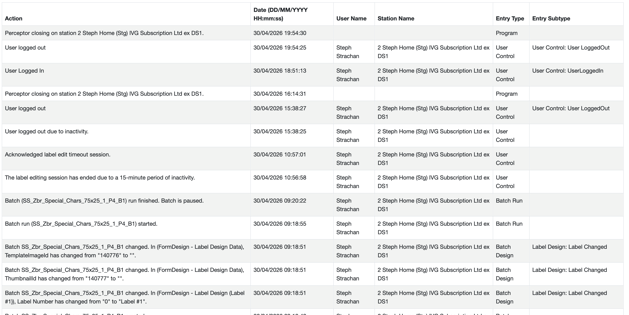
Every action made by the user is captured and can be reported on in Perceptor. The Audit Trail captures all actions - from label design changes, label approval and running a batch to camera calibration and changes made in User Management.
It is an integral and critical function of Perceptor to identify who is logged in at any time and what actions they have taken.
As Perceptor is integrated with your organization's Entra ID, the log in step also ensures that the organization's password and security policies are applied. In addition, when using this integration it ensures any Perceptor user cannot login if their Entra ID account has been disabled and removes them if they have been removed from the Perceptor Users' Group in your Entra ID.